
What is SwatchSpring?
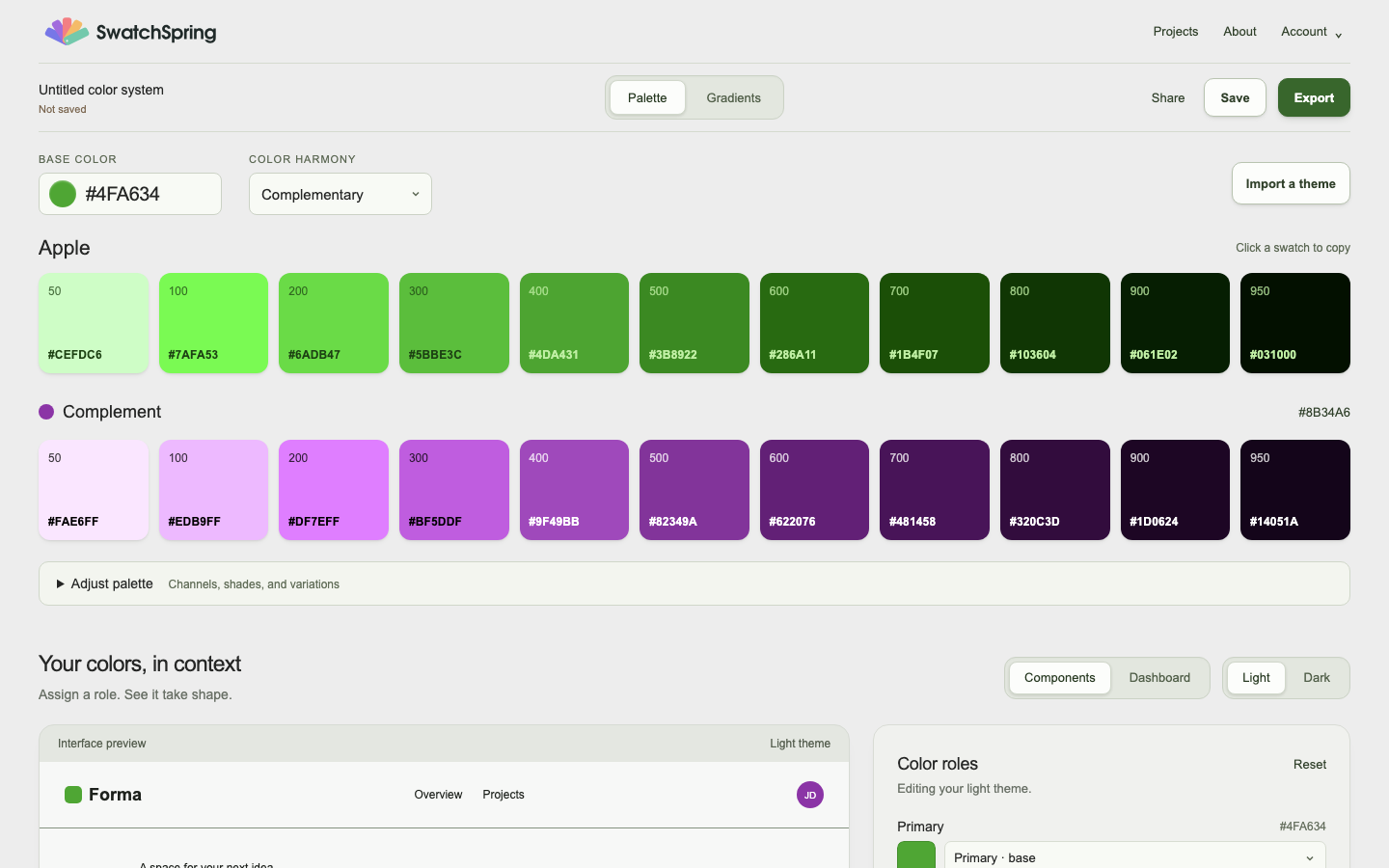
SwatchSpring is a free browser tool for creating and refining UI color themes. Start with a brand color to generate palettes and light and dark roles, or import an existing CSS/shadcn theme or supported SwatchSpring token JSON. Preview the colors in an interface, inspect contrast, review suggested repairs with locked colors, and export the result.
You can generate, import, check, and export without an account. A free account lets you save private projects and revisit versions.
Start with the colors you have
- Starting from scratch: choose a base color, explore harmonies, and assign colors to interface roles in Light and Dark.
- Fixing a palette: paste the colors you already have into the Palette fixer, balance what sticks out, add neutrals, and assign roles.
- Refining a theme: import supported source, inspect its mappings and aliases, lock colors you want to keep, and review contrast repairs before applying them.
- Handing off: export generated themes as CSS, Tailwind, shadcn/ui, JavaScript, or token JSON. Imported themes export in their original CSS or JSON format.
- Exploring a gradient: use the Gradients workspace and showroom to see a composition on a landing page, phone, card, or poster.
What the checks cover
Contrast checks assess supported solid-color pairs. Unmapped roles, unsupported values, and unresolved repairs are disclosed; a passing report is not an accessibility certification for your finished site. Check your real components, text sizes, focus behavior, and interactions as well.
The importer accepts a bounded set of CSS theme blocks and SwatchSpring token JSON, not arbitrary stylesheets or every design-token format. Figma handoff currently uses SVG swatches; it does not create native Figma variables or Light/Dark variable modes.
Read the workflow guides for examples, exact steps, and format limits.
Put your colors to work.
Open SwatchSpring